Inventory management software, free for the whole shop
TrackFinch is inventory management software, free for shops that make things. See what's on every rack and bin, catch parts under their reorder point, and tie stock to the jobs that use it.
- Every module
- Your whole team
- No card
What free usually means, and what it means here
You've seen free plans before. A seat or two, a cap on items, and the parts you need held back for later. Here is TrackFinch's free, line by line, next to the usual.
| What you get | Most free plans |  |
|---|---|---|
| Who can use it | One or two users | Your whole team, office and floor |
| How many items | A cap on items or orders | No item limit. Add every SKU you stock. |
| Purchase orders | Often kept for a paid plan | Included. Receive a PO and the stock goes up. |
| Scanning | Often kept for a paid plan | QR labels you print, scanned with a phone. No app to install. |
| Modules | The basics, with the rest held back | Every module: stock, BOMs, work orders, purchasing, planning |
| Card at signup | Many ask for one | No card. Your name, email and shop name. |
Our pricing page says the same: free, every module, nothing held back for a higher tier. No seat count to watch, no item count to creep up on.
Why it's free
We're building TrackFinch with our first shops. Right now, your feedback is worth more to us than your card.
That's the whole reason. No upsell waiting behind a seat count, no card on file. You get real inventory software for the shop. We get to see how a real shop uses it, and hear what's missing. And your data stays yours: export everything to CSV any time, so you're never stuck with us.
The trade
01Run real work through it
Your actual racks and bins, your BOMs, your work orders, the POs you send your vendors. Not a test project.
02Hit Request / Report
Something missing, or something that gets in your way on the floor? Click the button in the app and say so, in your own words.
03It goes straight to the team
Your note lands with the people building TrackFinch, and what shops ask for shapes the work.
What you can run in it on day one
You think you have 40 sheets of 16 gauge. You have 12.
The spreadsheet was right the day someone typed it. Then the crew pulled sheets for two jobs and the cell never changed. TrackFinch is free inventory software built for shops that make things: stock tracked where it sits, counted a shelf at a time, and put on one page when it runs low.
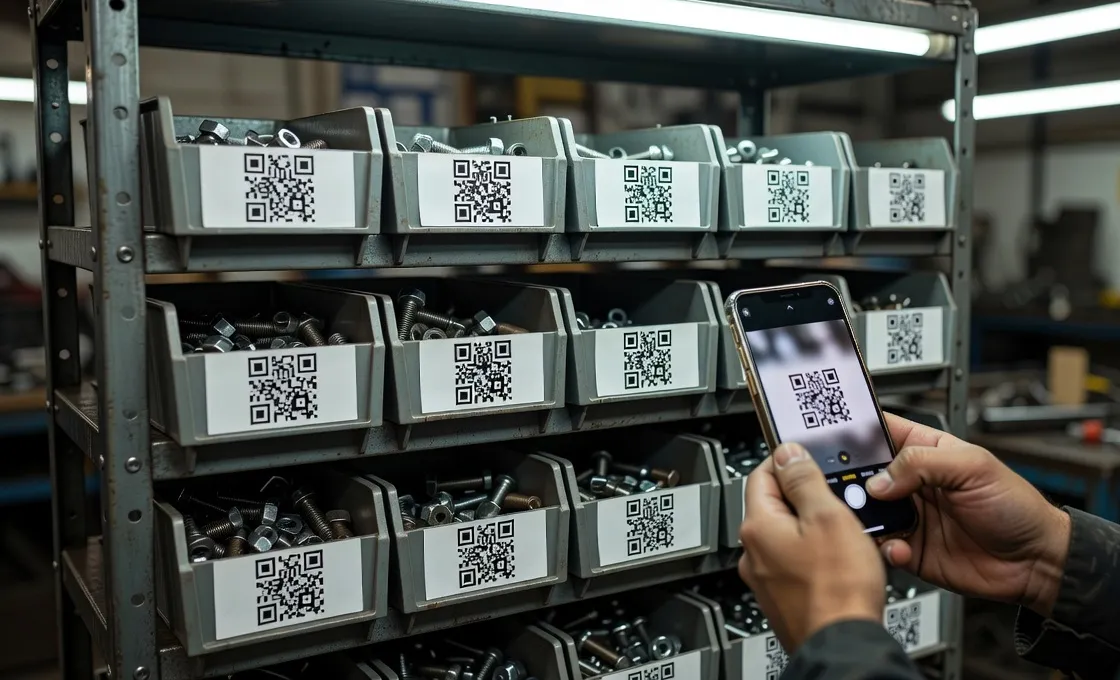
Stock by rack, bin or van
Name locations the way the shop already does: Rack A, Bin 2, Shelf C3, the van. Each item shows how many sit in each spot. Moving stock is a transfer, logged with who and when.
Cycle counts, a shelf at a time
No shutting the floor down for a full count. Pick one shelf or bin, count what's there, and adjust with a reason. The change lands in the stock history.
Reorder points that lead to a PO
Set a reorder point per item. When 16 gauge drops to 12 against a point of 20, it shows up on the Planning page with a button to draft the purchase order. You check it and click.
Not sure where to set the point? Work it out with the reorder point calculator.
QR labels, scanned with a phone
Print a sheet of QR labels for your bins. The crew scans one with the phone camera, right in the browser, and that item opens. No app to install, no scanner to buy.
Stock that knows what you're building
A retail app counts what you sell. A shop's stock goes into builds.
Look for inventory control software, free, and most of what turns up is built for a store. It tracks a box in and a box out. In TrackFinch, a bill of materials says what one product takes, and a work order holds those parts for the job. You see the shortfall before the build starts, not halfway through it.
One BOM for one cart
A Shop cart, 24" takes 2 sheets of 16 ga, 8 ft of tube, 4 casters, 16 bolts and 500 g of powder coat.
Build 40
Work order WO-0217 multiplies it out: 80 sheets, 320 ft of tube, 160 casters, 640 bolts, 20 kg of powder coat.
Release it, and the parts are reserved
What's on the shelf is counted against this job, so the next job, and the Planning page, see what's really left.
Two come up short. One click drafts each PO.
68 sheets and 64 casters. Both show up on the Planning page with a Draft PO button. You click each one, PO-1042 and PO-1043 are drafted, and you check them and send them.
- Steel sheet 16 ga 4×8RM-STL-16GAPer cart 2For 40 80On hand 1268 short
- Steel tube 1" sqRM-TUB-100Per cart 8 ftFor 40 320 ftOn hand 600 ftReserved
- Caster, 4" swivelCP-CST-4Per cart 4For 40 160On hand 9664 short
- M8 hex boltsCN-M8HEXPer cart 16For 40 640On hand 1,800Reserved
- Powder coat, blackCN-PWDBLKPer cart 500 gFor 40 20 kgOn hand 40 kgReserved
Make food, coffee or cosmetics? Stock can carry lots with expiry dates, and picking takes the first-expiring lot first.
Make jewelry? Sterling counts by the gram and each boutique you sell through can be a location, so jewelry inventory software for makers is the same app, set up for a studio.
Set it up this afternoon
You already did the slow part: your item list lives in a spreadsheet. By this evening it can be in TrackFinch, with your busiest racks counted. The rest you count a shelf at a time as you go, no shutdown for a full recount.
Sign up and confirm your email
Your name, your email and your shop's name. Click the link in the email and the workspace is yours. No card.
Bring your item list in
Save your sheet as a CSV and match the columns you have to SKU, item name, unit, reorder point and cost. Your headings can stay as they are. On‑hand counts and locations go in later, as you name racks and bins and count each shelf.
Print labels and invite the crew
Print QR label sheets for your racks and bins, then invite the whole team. They scan with the phone camera in the browser. No app to install.
Every module · Your whole team · No card
When TrackFinch isn't the right fit
Free doesn't make it right for every shop. Here are two cases where something else does the job better, so you don't spend an afternoon finding out.
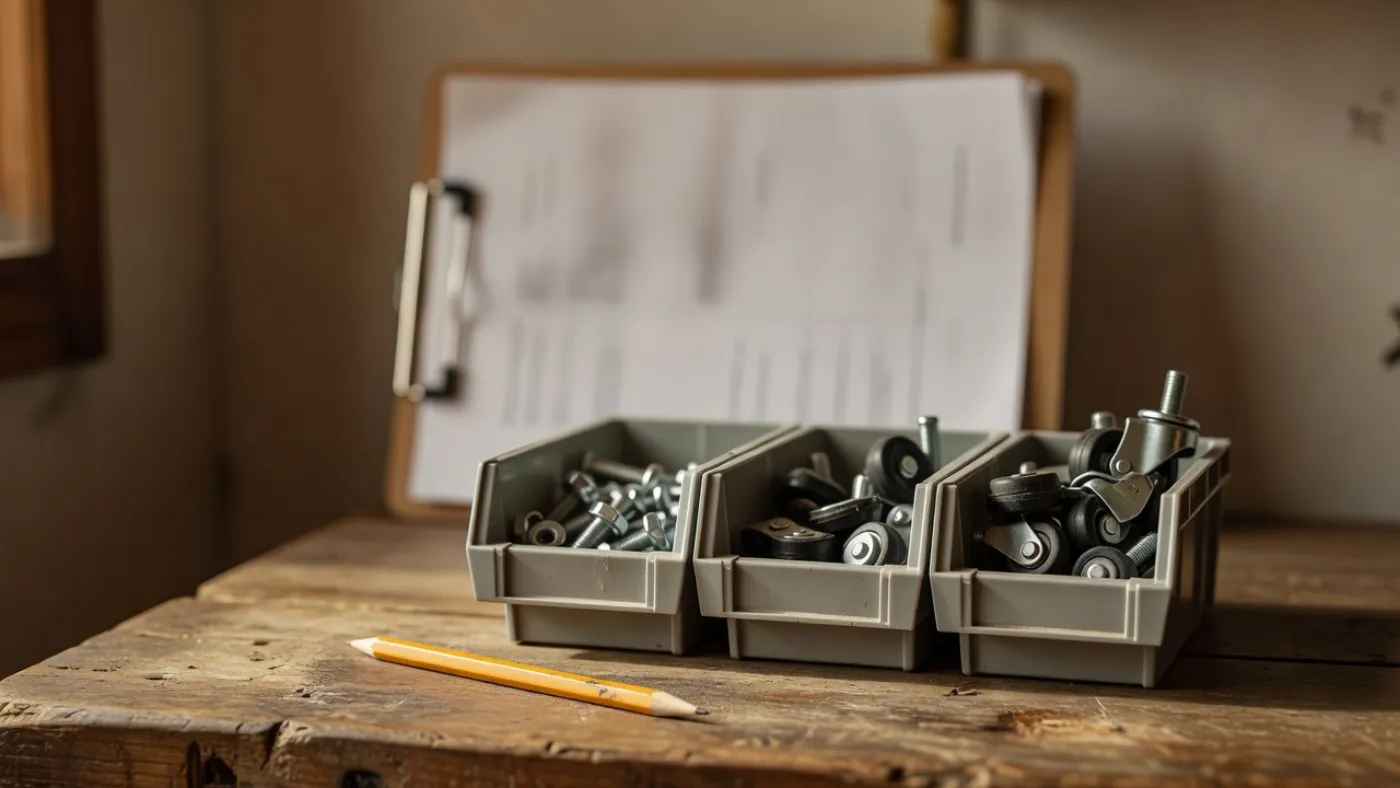
A spreadsheet is enough
You track a few dozen items, and none of them goes into a build
If the whole list fits on one screen and nothing you stock gets turned into a product, a spreadsheet does the job. It costs nothing too, and you already know how it works.
Get the free inventory spreadsheet templateA retail tool fits better
You sell through Shopify, Etsy or Amazon, or need a till or QuickBooks synced
TrackFinch doesn't connect to any of those. It imports and exports CSV, and that's all. If your counts have to follow every online sale or land in your books on their own, a tool built for retail fits better.
See how TrackFinch and Sortly compare
If your stock sits on racks and in bins and turns into jobs, with a crew pulling from it on the floor, that's the shop TrackFinch is built for. The jobs go on the crew's phones too, as a job list they tick off step by step.
Free inventory management software: questions, answered
The things shops ask before they sign up, with straight answers. Including the ones where the answer is no.
Is this inventory management software free, really? What's the catch?
Yes, it's free. Right now every module is on for every workspace, for your whole team, and signup asks for no card. The catch is a trade: we're building TrackFinch with our first shops, and your feedback is worth more to us than your card. When something is missing, the Request / Report button in the app sends it straight to the team.
How many people and items can I have?
Your whole team can use it, with no seat cap. There's no item or SKU limit either. Bring the whole stock list: every sheet, length of tube, bolt and caster.
Is it for shops that build things, or for retail stores?
Shops that build things. Stock sits by rack, bin and shelf, a BOM says what each product uses, and a work order reserves the materials when you release it. Food and cosmetics makers can track lots with expiry dates, and picking takes the earliest expiry first.
How long does it take to set up?
Sign up with your name, email and shop name, then confirm the email. Import your item list from your spreadsheet as a CSV, name your racks and bins, and print QR labels. Count your busiest racks first, then the rest a shelf at a time as you go, with no shutdown for a full recount. You can make a real start this afternoon.
Does it work on a phone? Do I need a barcode scanner?
It runs in the phone's browser, so there's no app to install. Print QR label sheets for your racks and bins and scan them with the phone camera. No scanner needed. When a delivery comes in, you can also scan the barcodes printed on your suppliers' cases with the phone. There's no offline mode, so the phone needs a connection.
Can I get my data out if I leave?
Yes. Export everything to CSV any time, and any spreadsheet opens it. With no card on file, there's nothing to cancel either.
Does it connect to QuickBooks or Shopify?
No. TrackFinch doesn't sync with QuickBooks, Shopify, Etsy, Amazon or a till. It imports and exports CSV, and that's all. If your counts have to follow every online sale, a retail tool fits better.
What's the best free inventory management software for a small shop?
It depends on what you track. A few dozen items that never go into a build? A spreadsheet is enough. Selling finished goods online? Pick a tool that syncs with your store. If your stock sits on racks and in bins and turns into jobs, you want reorder points, BOMs and work orders that use the stock. That's the shop TrackFinch is built for.
Runs on the same ledger.
Everything in TrackFinch shares one source of truth — start anywhere, the rest is already connected.
Find out what's really on your shelves.
Import your item list, count your busiest rack, and see what's really on it. You can do that this afternoon, for nothing.
Free · Every module · No card needed